iPhone
Scrawlight
write it, raise it, let them see.
Scrawlight turns your handwriting into a glowing sign that loops fullscreen and dances with the music around you. Not typed. Written.
↑ This board is live: type, tap a glow colour, switch the WAVE motion
Not typed. Written.
Write straight onto the screen with your finger, two fingers to pan when a line runs long. The stroke lights up as you draw it, in whichever of the five glow colours you picked.
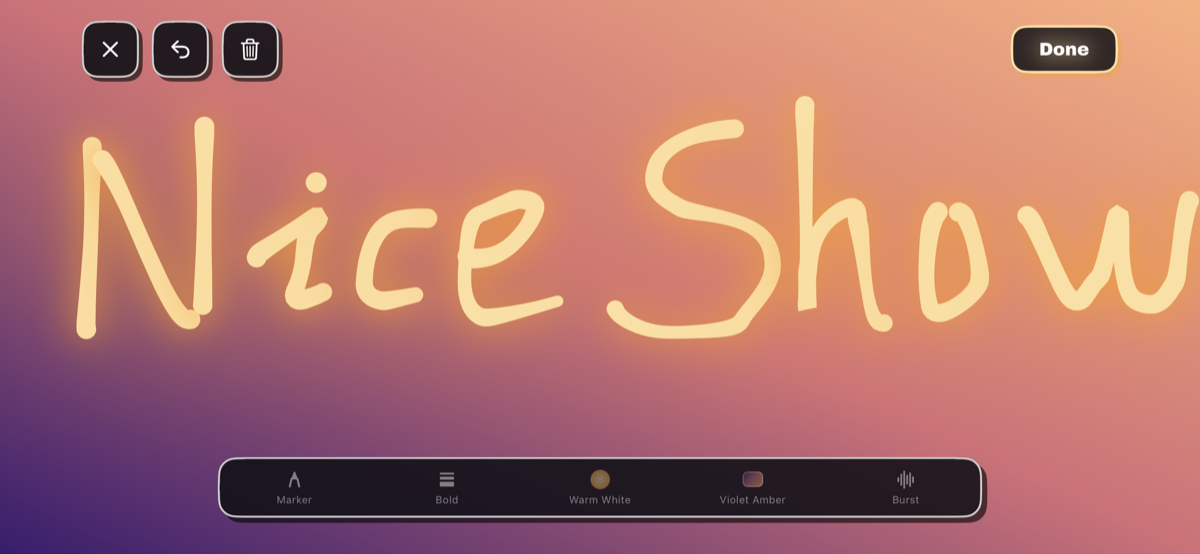
Raise it high.
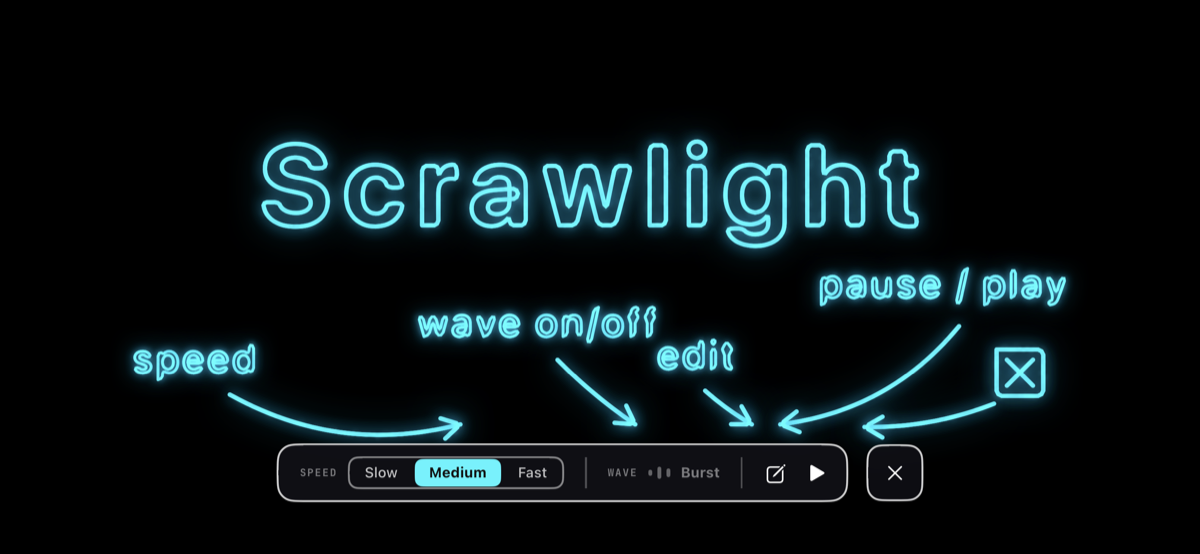
Speed, wave, edit and pause sit in one bar at the bottom of the screen. The display never sleeps while a board is up, so you can hold it over your head for a whole song.
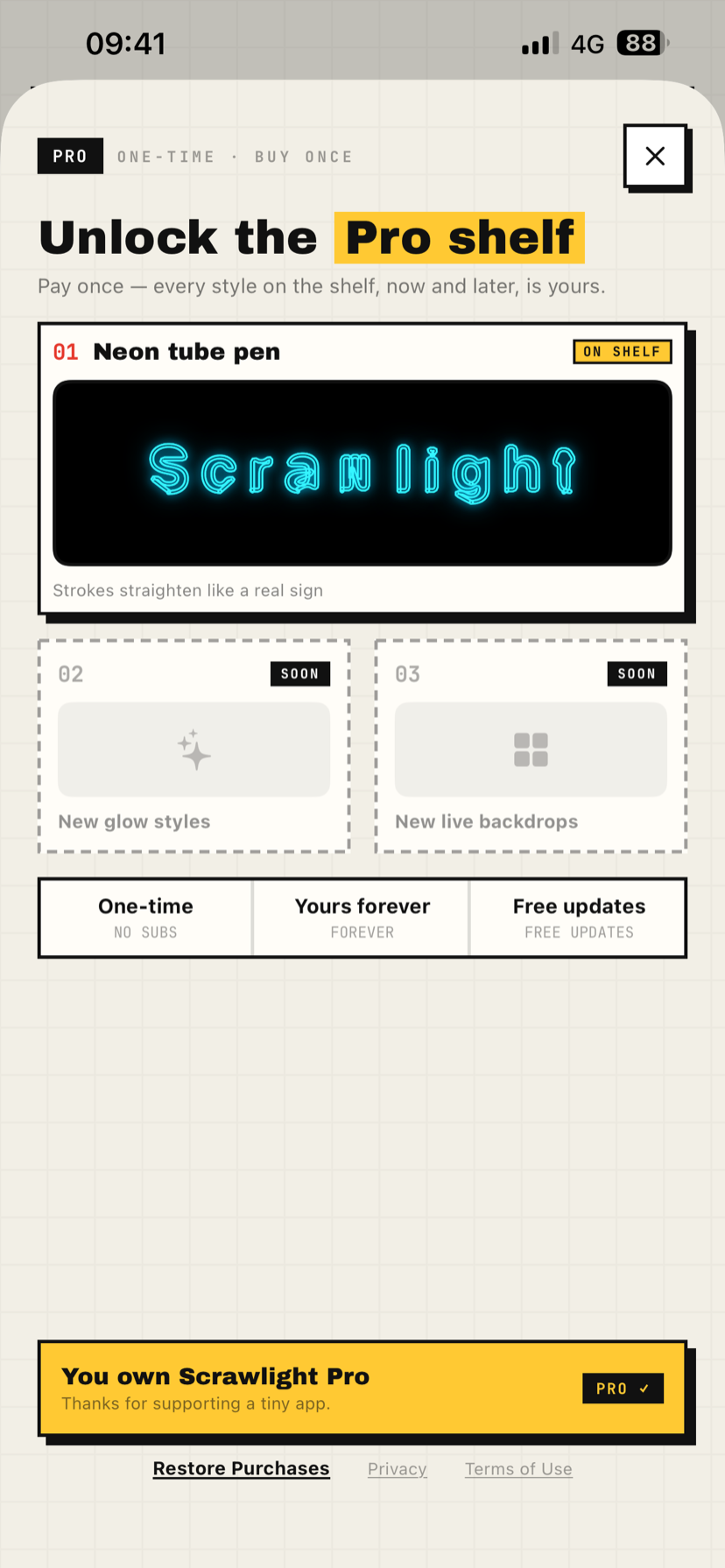
Unlock the Pro shelf.
Pay once and every style on the shelf is yours, including the ones added later. Right now that is the Neon tube pen, which draws the edges as tubing and squares up your strokes.
Burst
Every beat blows the strokes apart and a spring pulls them back together. Loudness sets how far they scatter. This is the one that reads across a dark room.
Ripple
Low-frequency energy pushes rings outward from the outline of your letters, fading as they widen. The sign looks like it is radiating the sound back.
Breathe
The halo swells and settles with the volume of the room. The calmest of the three, and the easiest on the battery.
How it works
- 1
Write
Turn the phone sideways and write with your finger. Pick a glow colour and a backdrop.
- 2
Glow
The ink blooms into neon as you go. Choose Marker for a solid band, or Neon for hollow tubing.
- 3
Raise
Hit play. It loops fullscreen, and with Wave on it moves with the crowd. Raise it over your head.
What it does
- 01
Write with your finger
Write in landscape, straight onto the screen. Pan with two fingers when a line runs long. No keyboard, no dot-matrix font — your own hand.
- 02
It glows as you write
Strokes bloom into neon as the ink lands. Five glow colours, from Neon Pink to Rainbow, and five backdrops including three slow-flowing gradients.
- 03
Loops fullscreen
Write as long a line as you like. In presentation it scrolls across the full screen on a loop, at one of three speeds.
- 04
Two pens
Marker lays down a solid band of light. Neon draws the edges as tubing with a hollow core, and straightens your strokes like a real sign.
- 05
iCloud sync
Boards sync through your own private iCloud database, so a new phone gets them back. Switch it off in Settings and everything stays on this device.
- 06
Collects no data
No accounts, no analytics, no ads, no third-party SDKs. The App Store privacy label reads Data Not Collected.
Frequently asked questions
What do I need to run it?
An iPhone on iOS 18.0 or later. It is iPhone-only for now. iPad is planned but not built, because an iPad app cannot lock itself to landscape the way this one needs to.
What does it cost?
The app is free. Scrawlight Pro is a single one-time purchase that unlocks the Neon tube pen, plus every Pro style added later. No subscription.
Does it record what it hears?
No. With Wave on, the microphone is analysed in real time, in memory only — nothing is ever recorded, saved, or uploaded. Turn Wave off and the microphone is not used at all.
What if I don't grant microphone access?
Wave falls back to a simulated beat, so the board still moves. Grant access later in system Settings and it switches to the real room.
Where are my boards stored?
On your device, and — if iCloud Sync is on — in your own private iCloud database. That is Apple's service, the data is yours, and the developer cannot see it.
Will the screen lock while I'm holding it up?
No. Auto-lock is disabled while a board is being presented.
Troubleshooting
Wave isn't reacting to anything.
Check that microphone access is granted in system Settings. In a quiet room the app falls back to a simulated beat by design, so a board that barely moves usually means the room is quiet, not that something is broken.
I turned iCloud Sync on or off and nothing changed.
The sync setting applies the next time the app launches. Quit Scrawlight and open it again.
I got a new phone — where are my boards?
Sign in to the same iCloud account and leave iCloud Sync on. The boards come back on their own.
I bought Pro but it still shows as locked.
Open the Pro page and tap Restore Purchases. You need to be signed in with the same Apple Account you bought it with.
Does the screen lock while I'm presenting?
No. Auto-lock is disabled in presentation mode.
Is there an iPad version?
Not in 1.0 — iPhone only. iPad is on the roadmap.
Privacy
Microphone
The microphone is used only while the Wave effect is on. Audio is analysed in real time, in memory only, to drive the animation — it is never recorded, never written to disk, and never uploaded. Turn Wave off and the microphone is not used at all. If you decline access, Wave falls back to a simulated beat.
Your boards and iCloud
Your boards are stored on this device. With iCloud Sync on, they also sync through your own private iCloud database via Apple CloudKit — that is Apple's service, the data is yours, and the developer cannot see it. Turn sync off in Settings and everything stays on this device. The sync setting takes effect the next time you open the app.
Purchases
Scrawlight Pro is handled entirely by the Apple App Store. The developer never sees or stores your payment details.
App Store privacy label
Data Not Collected. There is no account system, no analytics, no advertising, and no third-party SDK of any kind. Apart from Apple's own iCloud and App Store, no third-party service is involved.
Why I built this
Every LED banner app I tried hands you a keyboard and a dot-matrix font. You type your message and it comes out looking like a departure board.
Which misses the point. Half of why you hold a sign up at a show is that you made it.
So Scrawlight keeps your handwriting and makes it glow. Turn Wave on and it follows the sound in the room.
— Bo